
Game area

Lia's Pixel Art
The game loads right here — no download needed.
In every Selminha game: P to pause · M to toggle sound · SPACE or tap to startAbout Lia's Pixel Art
The Grayling drifted through the Rainbow Studio and washed the color out of Lia's pixel art: now every picture is light gray, and every square has a number. Each number has its own paint pot. Tap a pot and its squares light up; tap one of them and it fills with color, or slide your finger to paint several at once. A square with a different number won't take the paint: it flashes red, and Scribble, the crayon puppy, tells you which pot to pick. When a color is done, its pot gets a ✓ and the next one is picked for you. On small screens, big pictures start zoomed in so the numbers are easy to read, and the view moves to the nearest squares of your pot automatically; the magnifying glass shows the whole picture whenever you like. Once the whole picture is painted, it comes to life and Lia claps. There are 24 pictures, from a fish, a sun and a heart to Granny Quelonia, Nino, Iara, Duda and Teo, all the way to Lia herself; finish one without tapping a single wrong square for 3 stars.
In Selminha's words
“Pixel art is the kind of picture that shows up one tiny square at a time as you follow the numbers. I wanted that calm, quiet kind of fun in Backyard Town: every number with its own paint pot, the right squares lighting up to help and, in the end, the picture coming to life.”
How to play Lia's Pixel Art and tips for earning 3 stars
- Tap or click a paint pot: the squares with its number light up. Tap or click one of them and it fills with color. You can also slide your finger (or drag the mouse) across several squares with the same number.
- A square with a different number won't take the paint: it flashes red, and Scribble tells you which pot to pick. No mistakes: 3 stars; up to 3 mistakes: 2; more than that: 1. Sliding over other numbers doesn't count as a mistake.
- When a color is done, its pot gets a ✓ and the next pot is picked for you.
- On small screens, big pictures start zoomed in so the numbers are easy to read, and the view moves to the nearest squares of your pot automatically. The magnifying glass, in the corner next to the pots, shows the whole picture and zooms back in; you can also pinch with two fingers (or use Ctrl and the mouse wheel) to zoom.
- On a computer, the arrow keys or W A S D move between squares and Enter or Space paints. The keys 1 to 8 (or Q and E) switch pots. On a controller: D-pad to move, A to paint, LB and RB to switch pots.
Animated walkthrough
Learn to play Lia's Pixel Art in 10 steps
An animated scene for each rule. It's the same walkthrough that opens from the “?” button in the game.
The rules
- The numbers
- Every square has a number, and every number has its own paint pot. The squares for the pot you pick light up.
- A wrong square
- A square with a different number won't take the paint: it flashes red, and Scribble tells you which pot to pick. It counts against the picture's stars. Sliding or dragging over other numbers isn't a mistake.
- A finished color
- When every square with that number is painted, its pot gets a ✓ and the next one is picked for you.
- The magnifying glass and the view
- On small screens, big pictures start zoomed in so the numbers are easy to read. When you're zoomed in, the view moves automatically to the nearest squares of the pot you picked. The magnifying glass, in the corner next to the pots, shows the whole picture and zooms back in; pinching with two fingers (or Ctrl and the mouse wheel) zooms too.
- A finished picture
- When the last square is painted, the picture comes to life: it wiggles, sparkles fly and Lia claps.
- Restart
- RESTART PICTURE in the pause menu turns the picture gray again.
- Saved game
- The game remembers which picture you stopped at and the squares you already painted. When you come back, you can pick up where you left off or start over.
The 24 pictures
- The sizes
- Six pictures are 16 × 16 squares (the fish, the sun, the heart, the balloon, the flower and the apple), six are 20 × 20 (the little house, the cake, Teo's toy car, the kite, the butterfly and the rocket), three are 24 × 24 (the treehouse, the rainbow and the little train) and nine are 32 × 32 (the colorful Grayling, Backyard Town, Scribble, Granny Quelonia, Nino, Iara, Duda, Teo and Lia). The further you go, the more squares each picture has, and the bigger ones usually have more paint pots: from 3 to 9.
- Made for fingers
- A finger is bigger than a square, so your tap paints the closest square for the pot you picked. Pictures start at a size where the numbers are easy to read, and the magnifying glass or a two-finger pinch shows the whole picture.
Controls on phone and computer
- Computer
- Tap or click a pot, then the squares with the same number, or drag across several · magnifying glass: whole picture or zoomed in (a two-finger pinch or Ctrl + wheel zooms too) · arrow keys or W A S D move between squares · Enter or Space paints · 1 to 8, Q or E switches pots · P or Esc pauses · M sound · F full screen · controller: D-pad to move, A to paint, LB and RB to switch pots, START to pause
- Touch
- Phone held upright, in full screen; on a tablet, the game adapts to the way you're holding it; on a computer, it's landscape. The picture is as big as the screen allows, with the paint pots below it, just above where your thumb rests. Big pictures start zoomed in so the numbers are easy to read, and the magnifying glass or a two-finger pinch shows the whole picture. Your game is saved on the device.
Stars and points
- Stars
- No mistakes: 3 stars. Up to 3 mistakes: 2. More than that: 1. There are no lives here, so a mistake never ends the game.
- Points
- Each star is worth 100 points on picture 1, 200 on picture 2 and so on, up to 2,400 on picture 24; speed adds up to 100 more on each picture.
- Leaderboard
- After the last picture (Lia), you can save your total score to the site's TOP 5 leaderboard.
Tell us what happened, or what you'd change. Your message goes straight to Selminha, and you'll get a reply by email.
More casual and puzzle games
Your next discovery could be right here.
Color by Number
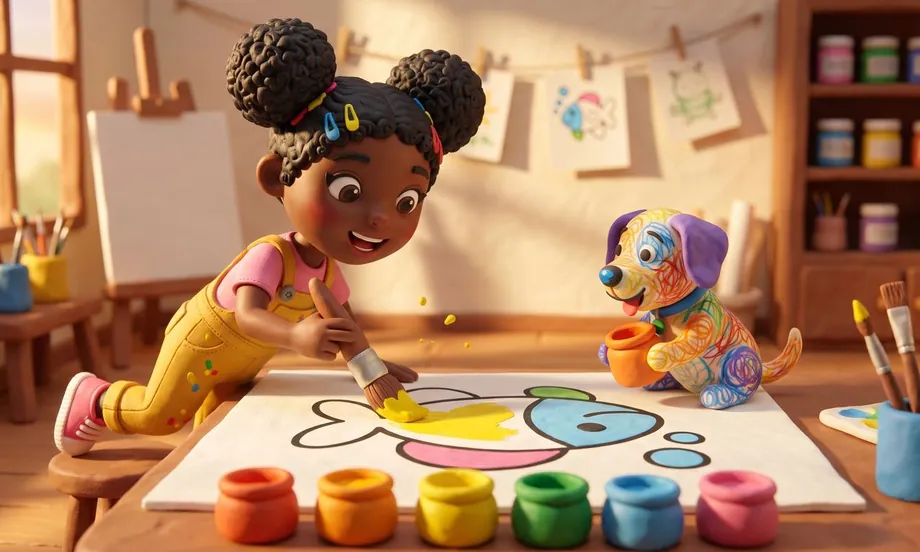
A calm color-by-number puzzle set in Backyard Town: pick a paint pot and fill every area that has its number. Finish the page and the picture comes to life. Ten pages, from a little fish with 8 areas to Lia herself, with 28.
Play
Videobingo
Casino video bingo in the Queen of Hearts' Ruby Room: four cards that cover all 60 numbers, 30 balls from the globe and the 12 patterns on the paytable. One ball short? Buy the extra ball. The frame opens the Queen's Treasure, and the jackpot pays 5,000 times your bet per card. Demo mode, just for fun: every win and loss is fictional.
Play