
Game area
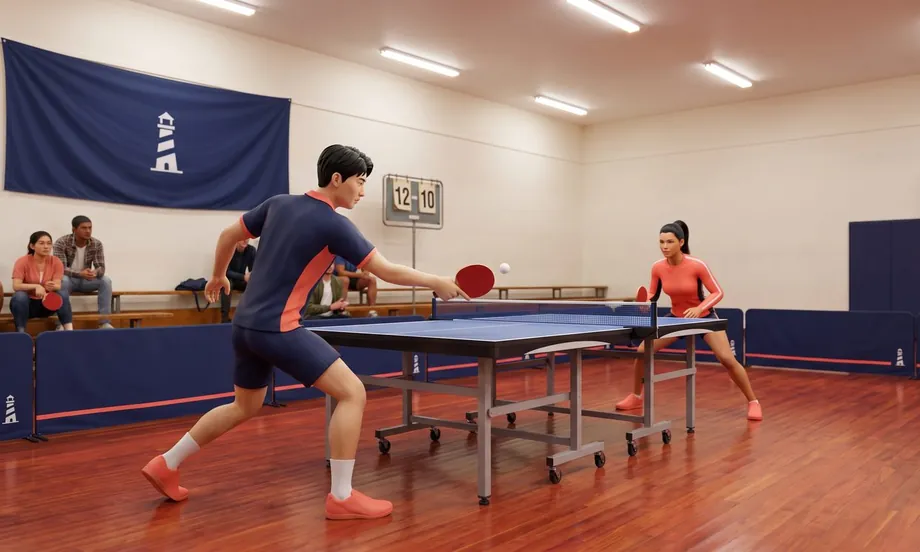
Table Tennis
The game loads right here — no download needed.
In every Selminha game: P to pause · M to toggle sound · SPACE or tap to startAbout Table Tennis
This is real table tennis on a 3D table built to ITTF specs: 9 by 5 feet, 30 inches off the floor, with a 6-inch net. Air and spin shape the ball's flight: topspin makes it dip early and kick forward off the bounce, backspin makes it float and check up, and sidespin makes it curve. On a phone, the paddle moves with your finger as you slide it anywhere on the screen; on a computer, it sits at the tip of your pointer. Move it left and right, forward and back, and choose where and when you meet the ball. At contact, your swipe picks the shot: up for topspin, down for backspin, and a still finger blocks. Swipe at an angle to aim. Contact assist, on by default, gives the paddle a bigger area to catch the ball, makes sure you hit it on the sweet spot and adjusts the paddle angle for the incoming spin. Without it, reading the spin is up to you: against heavy backspin, a block goes into the net and you need a firm topspin; against heavy topspin, backspin pops up; the two-tone ball and the spin trail show the spin. Timing matters too, and hitting a fast ball too hard is risky. To serve, tap to toss the ball and swipe as it drops: the swipe picks the spin, and its speed decides whether you serve short or long. The umpire enforces the official rules and explains every point with its rule number: the serve that has to bounce on your side first, the let, the ball that clips the edge, which counts, and the ball that hits the side of the table, which doesn't (rule 2.1.2). A game goes to 11 points, you have to win by 2 from 10–10, and the serve switches every 2 points. Play a Quick Match, one game, or a Full Match, best of 5 games, against the club's players: Valentina, Kenji and No-Mercy Kenji. Beat No-Mercy Kenji, and Hannah Cole, the Aurum star, accepts the challenge. The computer plays like a real person: it needs time to react, sometimes misreads the spin and makes more mistakes on tough balls, and three of the four opponents have a known weakness. Each opponent has one level for touchscreens (phones and tablets) and another for the mouse (computers): a mouse makes the paddle more precise, so on a computer they play tougher. In Ball Machine Practice, you pick the spin, the pace and where the balls go. At the end, you get TV-style match stats.
In Selminha's words
“Table tennis is the game you play in the club gym, where Kenji practices alone late at night. I wanted a table tennis game with true-to-life spin, a ball that curves, dips and checks up like a real one, and an opponent who plays like a real person. It's another game from Podium Bay, our seaside sports club, after Pool Simulator and Bowling Simulator.”
How to play Table Tennis and the rules of the match
- Tap PLAY. In the menu, choose Quick Match (one game to 11) or Full Match (best of 5 games) and your opponent, then tap START. Or tap BALL MACHINE PRACTICE.
- Slide your finger anywhere on the screen (or move the mouse) to bring the paddle to the ball: left and right, forward and back. On a phone, your finger moves the paddle from wherever it is; on a computer, the paddle sits at the tip of your pointer.
- At contact, swipe up for topspin, swipe down for backspin, or keep your finger still to block. Swipe at an angle to aim.
- Contact assist, on by default, adjusts the paddle angle for the incoming spin. Without it, read the spin yourself: against heavy backspin, use a firm topspin or backspin; against heavy topspin, block or use topspin; against sidespin, pull your swipe slightly the other way.
- To serve, tap to toss the ball and swipe as it drops. The swipe picks the spin, and its speed decides whether you serve short or long.
- A game goes to 11 points, you have to win by 2, and the serve switches every 2 points. The umpire explains every point. In the options (in the match menu or behind the gear icon next to the pause button), set your playing hand, contact assist, the two-tone ball and the spin trail.
The shots
- Topspin
- Swipe up at contact: the paddle brushes the ball, which spins forward, dips early and kicks forward off the bounce. The faster the swipe, the harder the shot. Against heavy backspin, it's the shot that lifts the ball.
- Backspin
- Swipe down: the ball spins backward, floats and checks up on the bounce. Without contact assist, backspin pops up against heavy topspin.
- Block
- Keep your finger still: the paddle sends the ball back using its own pace. It works against topspin; without contact assist, the ball goes into the net against heavy backspin.
- The serve
- Tap to toss the ball and swipe as it drops. Swipe up for topspin, down for backspin, sideways for sidespin, or keep your finger still for no spin. The speed of the swipe decides whether you serve short or long.
The umpire
- A legal serve
- The ball is tossed up from the palm and hit as it drops; it bounces first on the server's side, then on the receiver's (rule 2.6.3).
- The let
- A serve that touches the net and lands in is replayed (rule 2.9.1.1).
- The edge and the side
- A ball that clips the top edge of the table counts; one that hits the side, below the edge, is out (rule 2.1.2).
- Scoring
- A game goes to 11 points, and from 10–10 you have to win by 2. The serve switches every 2 points and, from 10–10, after every point (rules 2.11.1 and 2.13.3).
Controls on phone and computer
- Computer
- Slide your finger anywhere on the screen (or move the mouse) to bring the paddle to the ball · at contact: swipe up (topspin), swipe down (backspin) or keep still (block) · to serve, tap (or click) to toss the ball and swipe as it drops · the pause button opens the menu, the gear opens the options, and the speaker button turns the sound on and off · keyboard: the arrow keys or W, A, S and D move the paddle, hold J or Space for topspin or L for backspin at contact, J or Space tosses the ball to serve, P or Esc pauses and M turns the sound on and off · controller: the analog stick or the D-pad moves the paddle, A or X for topspin and B for backspin, START pauses and BACK turns the sound on and off.
- Touch
- On a phone, the game plays in portrait mode, with the table running the length of the screen; on a tablet, it follows the way you're holding it. The paddle moves with your finger as you slide it anywhere on the screen, and every shot is a swipe, so you can play one-handed. The scoreboard sits at the top, with your opponent's portrait in a medallion.
The opponents and practice
- Valentina
- The Club player level: she hits with little pace and little spin, and backspin is her weakness.
- Kenji
- The Tough level: fast, with just the right amount of spin. No-Mercy Kenji is the Master level, and his weakness is sidespin.
- Hannah Cole
- The Aurum star, who accepts the challenge once you beat No-Mercy Kenji. Her weakness is the no-spin ball.
- On phones, tablets and computers
- Each opponent has one level for touchscreens (phones and tablets) and another for the mouse (computers): a mouse makes the paddle more precise, so on a computer the opponents play tougher.
- Ball Machine Practice
- The gym's ball machine sends topspin, backspin, sidespin, no spin or a mix, at a slow, medium or fast pace, to the left, the middle, the right or all over.
Tell us what happened, or what you'd change. Your message goes straight to Selminha, and you'll get a reply by email.
More sports games
Your next discovery could be right here.
Bowling Simulator
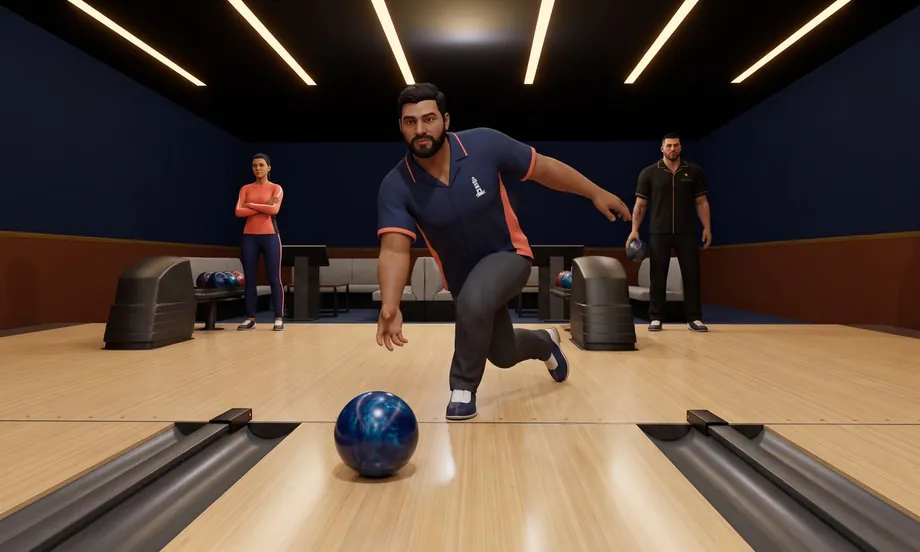
Bowling with real physics: the ball skids through the oil, hooks on the back end and sends the pins flying. It's always five lanes: bowl against the computer or up to four friends, on one device or by link.
Play
Pool Simulator
A pool simulator with real physics and the complete rules: spin, massé and jump shots that play like they do on a real table, a referee who calls every foul, and twelve disciplines, from Mata-Mata to artistic pool. Play against the computer or a friend, on the same device or by link.
Play